Device Details
Overview
| Name | Version: | Track Device View 1.0 |
| Author: | KOMOFORGE |
| Device Type: | MIDI Effect |
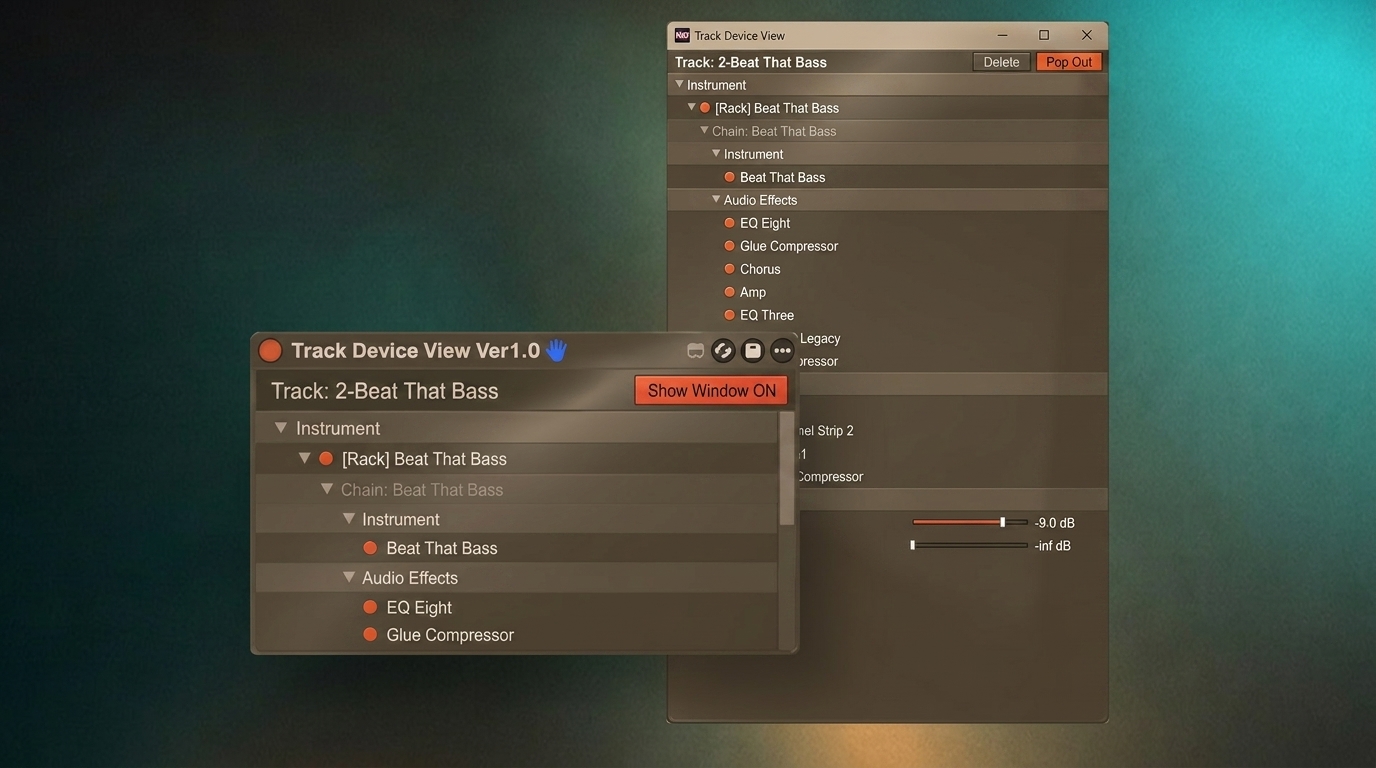
| Description: | Track Device View is a Max for Live utility for Ableton Live 12.x that displays the selected track's device chain in an easy-to-read vertical list. When a track contains many devices, Live's horizontal Device View can become difficult to scan. Track Device View provides a clearer overview of the device chain without requiring constant horizontal scrolling. Open the pop-up window and switch tracks in Live; the window automatically updates to follow the currently selected track. You only need to insert Track Device View on one track. Features: * Easy-to-read list view of the selected track's device chain * MIDI Effects / Instrument / Audio Effects sections * Rack and Chain display, including nested racks up to a limited depth * Track-following pop-up window * Send names, values, and sliders shown in the pop-up window * Adjust Send levels by dragging the slider in each Send row * Toggle related Return Tracks on/off from the pop-up window * Double-click a device name to select that device in Live's Device View * Toggle devices on/off from the list * Toggle multiple selected devices on/off * Delete selected devices or racks from the pop-up window * Pin option for keeping the pop-up window on top Track Device View does not process or change the sound. It is a utility for viewing and managing the selected track's device chain. --- Version 1.0 --- Initial release. Requires Ableton Live 12 Suite or Ableton Live 12 Standard with Max for Live. Not compatible with Live Lite or Intro. Tested with Ableton Live 12.x. |
Details
| Live Version Used: | 12.4.1 |
| Max Version Used: | 9.1.4 |
| Date Added: | Jun 14 2026 16:33:49 |
| Date Last Updated: | Jun 14 2026 16:42:08 |
| Downloads: | 0 |
| Website: | https://komoforge.gumroad.com/l/track-device-view |
| ⓘ License: | Commercial |
Average Rating
Log in to rate this device |
-n/a- |
Login to comment on this device.
Browse the full library